Latch
A desktop streamed full screen between your own machines over Tailscale. One Rust app for macOS, Windows, Linux and a VPS container; each one lists the others, connects to them, and can share its own screen.

At a glance
- Language
- Rust 2021, one Cargo workspace
- Size at 4.1.1
- 30,232 lines in five crates, 259 tests
- UI
- egui on wgpu, through eframe
- Streaming
- Sunshine as the engine; moonlight-common-c compiled into the viewer
- Decoding
- VideoToolbox on macOS; OpenH264 in software on Windows and Linux
- Network and identity
- Tailscale, read through its CLI
- Platforms
- macOS (Apple Silicon), Windows, Linux, Docker
- License
- GPL-3.0-or-later
- Releases
- 16, from 0.1.0-alpha.1 to 4.1.1 on Oct 2, 2026
The shape of it
The workspace has five crates. latch-core is what every node shares: the control API they speak to each other, the Tailscale CLI wrapper, wake packets, configuration files and the release-fetching code. latch-stream is Latch’s own Moonlight-protocol client: the C library moonlight-common-c is compiled in from third_party/ and speaks the wire protocol, and everything around it is Rust: pairing and the HTTPS control API the engine exposes, the client identity (an RSA key and a self-signed certificate), the crypto primitives the C code calls back into, video decode, Opus audio decode and playback, and the session that ties them together.
latch-client is the viewer: the machine list, pairing, the stream window, mouse capture, keyboard handling and the clipboard. latch-host is the node: the control service that runs with no window, the streaming-engine setup for each platform, and the unified window that both views other machines and shares this one. latch-ui is a design system on top of egui, because egui’s defaults read as a debugging tool and the people this is for are not developers: the palette, a type scale, the spacing grid, and the components every screen is assembled from, so that no screen draws anything inline and the parts cannot drift apart.
Who can connect
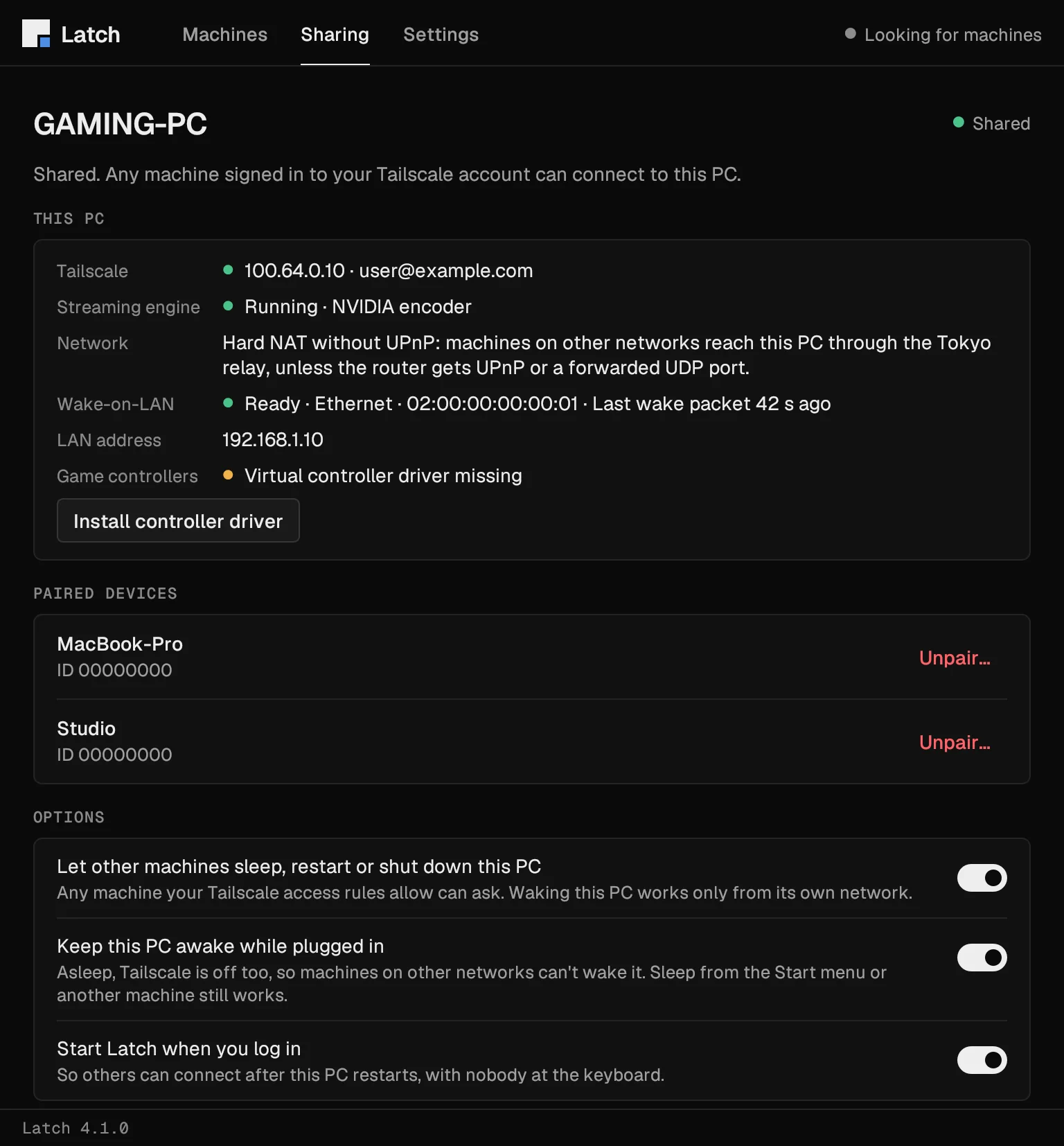
There are no Latch accounts and no passwords. Every machine runs a small control service on a fixed TCP port, which other machines use to read status, enter a pairing PIN, sleep the machine, read its clipboard and push it a new version of the app. Before the service answers anything it asks Tailscale one question with tailscale whois: who owns the calling address? Loopback is the host’s own window and always passes. An address outside Tailscale’s range is refused. Everything else has to belong to the same Tailscale user, or, for a server with an ACL tag such as a relay VPS, to a member of its own tailnet. Answers are cached for a minute, refusals included; a failed lookup is not cached and counts as a no.
Two checks sit around that. A request carrying an Origin or Sec-Fetch-Site header, or a Host that is not one of the service’s own addresses, gets a 403 before the lookup, so a web page cannot drive the service even through DNS rebinding. A POST has to carry JSON or the executable itself, which a page cannot send cross-origin without a preflight nothing answers. On Windows, setup adds a firewall rule that admits the port only from Tailscale’s address range.
This was not always right. Between 4.0.0 and 4.1.0 the service answered any machine Tailscale could name, including one shared in from someone else’s tailnet, because a strict comparison had made a tagged relay refuse its own owner. The fix in 4.1.0 keeps the account comparison and gives tagged nodes the tailnet rule, with a test that covers the owner’s Mac, a tagged relay and a friend’s shared-in machine.
A session, start to finish
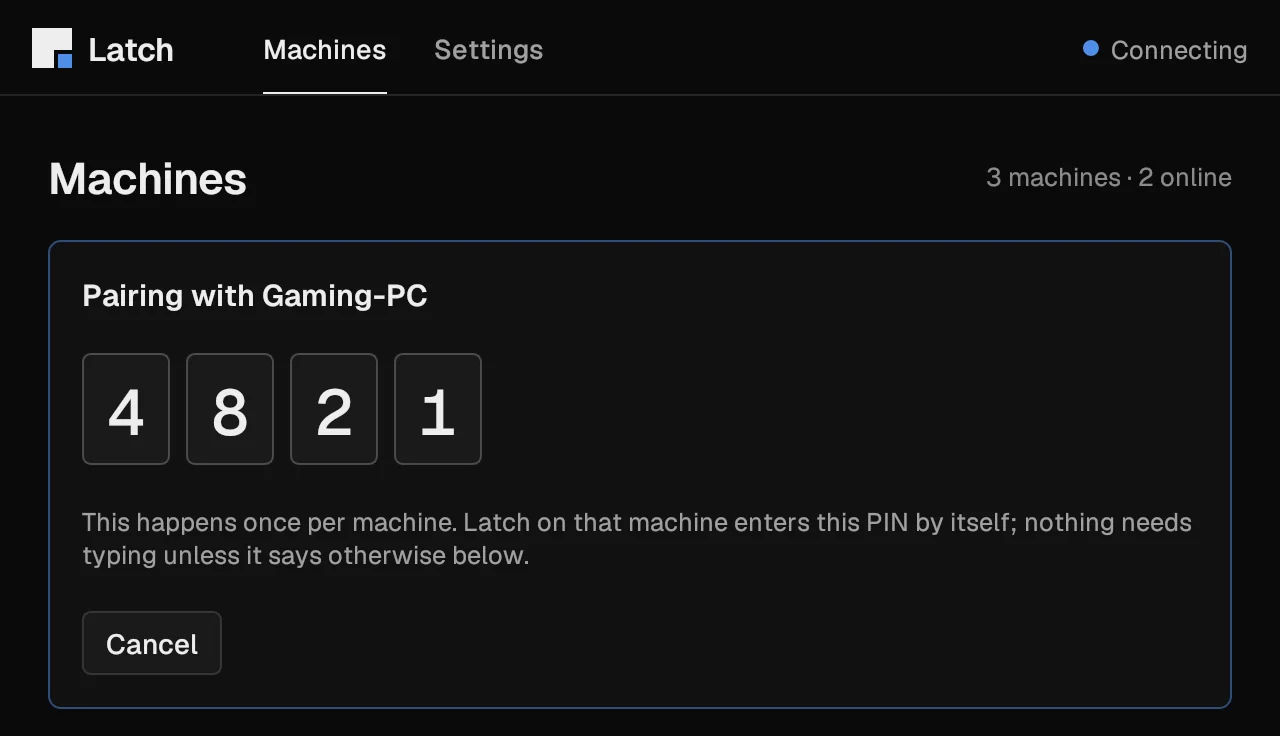
Pairing without typing. Sunshine pairs clients with the Moonlight handshake, which needs a four-digit PIN entered on the host. Latch does both ends: the viewer picks a random PIN, starts the handshake, and posts the PIN to the host’s control service, which passes it to the engine’s own API with a login Latch generated for the engine at setup. That route sits behind the identity check above, so only a machine on the account can have a PIN entered. When the handshake finishes the viewer pins the host’s certificate and accepts only that one from then on; if the engine is reinstalled, the mismatch is noticed and pairing happens again.
Waking. If a Windows PC is asleep, Connect sends a wake packet and waits. While the PC sleeps, so does its Tailscale connection, so the packet only works from the PC’s own network, or through a router that forwards UDP 9. Setup arms the network card for Wake-on-LAN and turns Windows Fast Startup off, because with Fast Startup on a shutdown is a hibernate that no network card wakes from.
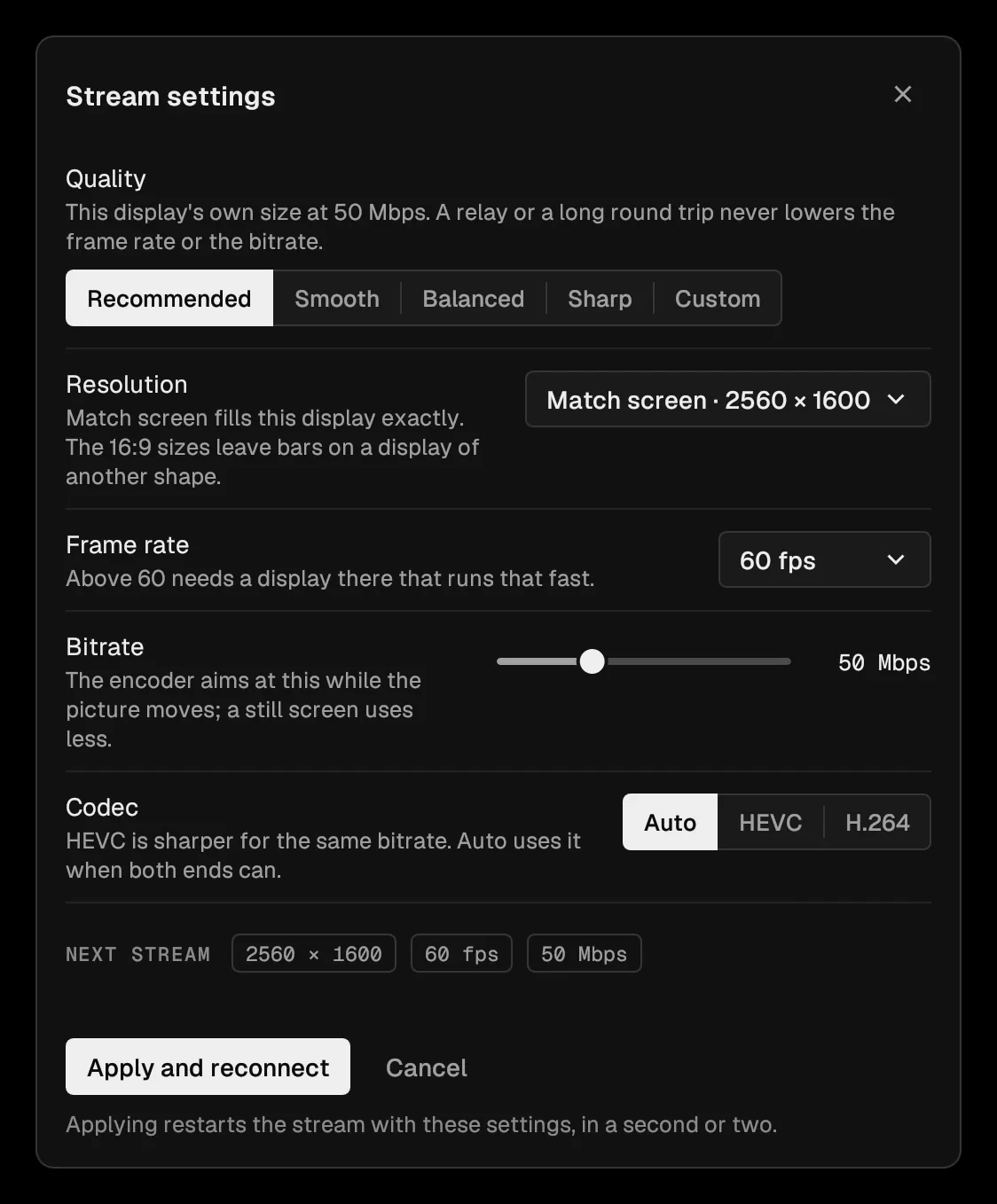
The stream. The desktop appears full screen and nothing else. The mouse is captured the moment you click the picture, as in a game, so games that read raw mouse movement work. Ctrl+Alt, or Control-Option on a Mac, frees the mouse and drops a toolbar over the picture with the stream details, whether the path is direct or relayed, a Keys menu for shortcuts like Ctrl+Alt+Del, stats, the PC’s power menu and the stream settings. The default asks for this screen’s own size at 50 Mbps on every path. A decoded frame goes to the screen as soon as it is drawn, without waiting for the display’s next refresh.
The clipboard. The streaming protocol carries keys and pictures, not clipboards, so the control service has a clipboard route. While a stream runs the viewer polls it about every second and a half and puts new host text on its own clipboard; when you paste in the stream, the viewer first sends its own text to the host and then the paste shortcut. Text only, cut at 32 KiB so that it fits a 64 KiB request body once escaped, and line endings converted for Windows.

Relay, updates and releases
A relay of your own. Tailscale tries a direct path first, then a peer relay, then its shared DERP relays, and Latch needs no code for that order; it only shows which path a stream is on. The deploy/relay/ kit turns a machine with a public address into a peer relay: a node tagged tag:relay plus a policy grant. A peer relay serves only its own tailnet, so there is no shared Latch relay and there cannot be one. My own runs on a small ARM VPS; a separate Linux virtual machine with a virtual desktop gives the Mac and the PC a third machine to test against.
Self-updates. Every few hours the Mac asks GitHub for the latest release. A newer app is downloaded, checked against the digest GitHub publishes and against its own code signature, swapped into /Applications once no stream is running, and relaunched. The Mac then sends the new host executable to every Windows PC whose host reports an older version, over the same authenticated control API that can put the PC to sleep. The PC verifies the SHA-256, replaces its executable and restarts, and since 4.1.0 it puts the old one back if the new one exits within two seconds.
CI and releases. GitHub Actions runs on Windows, macOS and Linux: cargo fmt --check, clippy with warnings denied on all targets, and cargo test --workspace. The Windows job also dumps the PowerShell setup script that the host generates, for every plan shape and with names that need quoting, and parses each one with the PowerShell parser, because that script is the thing most likely to break on a machine I cannot see. The UI tests build the window headlessly from fixture data and check that every state fits the smallest and the largest window with no control overlapping another; a separate test renders the same states to PNG for review, which is where the pictures on this page come from. A release is a tag: the workflow runs the tests, builds the macOS tarball and the Windows zip, checks that the pinned Sunshine archive matches the pin in setup.rs, and publishes through gh release create with that version’s section of the changelog as the notes.
What is not finished
- The Mac app is signed ad hoc, not with a Developer ID, so a browser download needs the quarantine flag cleared. The install script does it; someone unpacking the tarball by hand has to.
- On Windows and Linux the viewer decodes H.264 in software with OpenH264, which the repository calls a development path. Hardware decoding exists only on the Mac.
- Waking a PC works only from its own network or through a forwarded port, which is a property of Wake-on-LAN rather than of Latch, but it means “connect from anywhere” needs the PC left on.
- Latch installs and configures Sunshine rather than shipping a streaming engine of its own, so what the engine cannot do, Latch cannot either.
- The 4.0 authorization bug above shipped for eleven days.